
CPU Review (Honest, no fake benchmark numbers)
Intel Core Ultra X7 358H Review: What It Is, What It Promises, and What to Verify Before You Buy
The Intel® Core™ Ultra X7 358H is a high-core-count mobile processor in Intel’s Core Ultra Series 3 lineup (code name: Products formerly Panther Lake). On paper it blends a 16‑core CPU layout with a more serious integrated graphics block (Intel® Arc™ B390 GPU) and a dedicated NPU. In real laptops, the experience depends heavily on power limits, cooling, and memory configuration.
Transparency note: This review is intentionally “honest” and does not invent benchmark numbers. It is based on Intel’s published specifications and what those specs typically imply for real-world laptop behavior. For measured performance, always consult reviews of the specific laptop model you’re considering.
Official gallery: Core Ultra Series 3 context
Intel positions Core Ultra Series 3 as a “do-everything” laptop platform—gaming, creating, productivity, and AI features. Below are official images pulled from Intel’s own site/CDN (useful for setting expectations about the kinds of devices and experiences Intel is targeting).

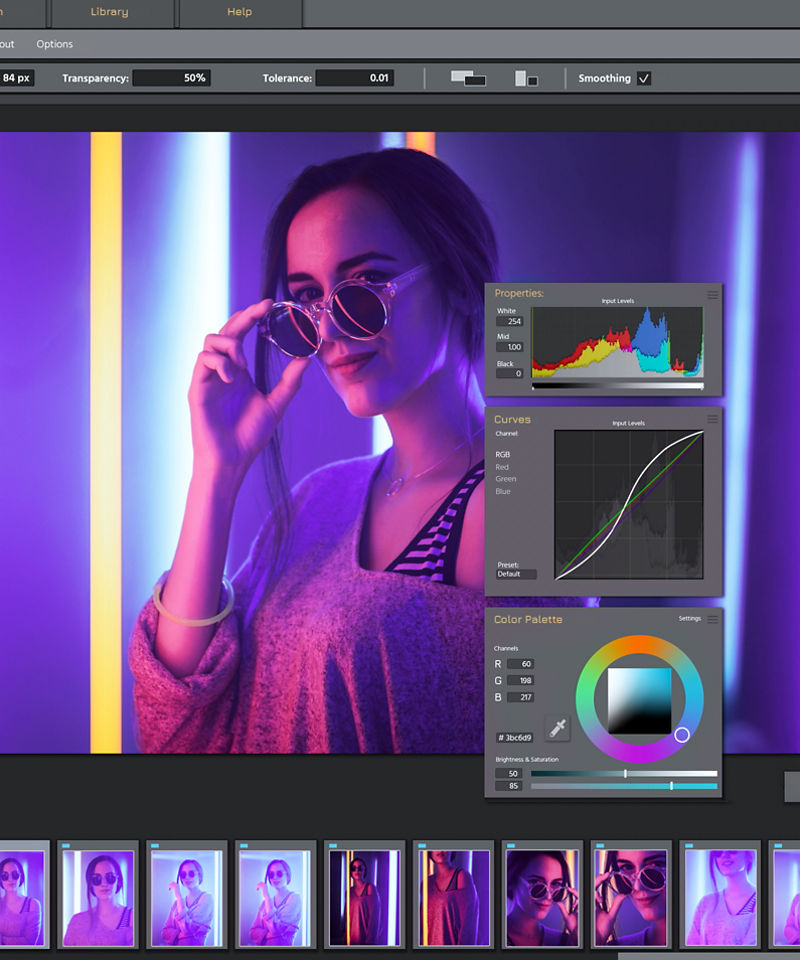



Image sources: Intel homepage and Intel Core Ultra Series 3 product page (official). See “Sources” at the end.
What the Core Ultra X7 358H actually is
The Core Ultra X7 358H is an H‑class mobile chip aimed at higher-performance laptops where sustained power is available (typically better cooling than ultra-thin U-class machines). What makes this SKU interesting is that it’s not “just” a CPU: Intel’s platform story here is about having three engines available for different kinds of work: CPU for general compute, Arc iGPU for graphics + massively parallel workloads, and a dedicated NPU for power-efficient AI tasks that don’t need the GPU.
According to Intel’s published specifications, this processor uses a hybrid core layout: 16 total cores split into 4 Performance-cores, 8 Efficient-cores, and 4 Low Power Efficient-cores, with 16 threads total. That “LP‑E” cluster is important: it signals Intel is continuing its push toward keeping light tasks off the high-power cores so laptops can remain responsive without burning battery.
You’ll also notice a power profile that matches “performance laptop” reality: 25W Processor Base Power with up to 80W Maximum Turbo Power. In practice, OEMs decide how long the chip can sustain higher power, what “Performance mode” means, and how aggressive the fans get. The same CPU can feel fast and quiet in one chassis, and loud or throttled in another—so treat the CPU name as “capability potential,” not a guaranteed outcome.
The short version
- CPU: 16 cores (4P + 8E + 4 LP‑E), up to 4.8 GHz turbo.
- GPU: Intel Arc B390 iGPU with 12 Xe‑cores and ray tracing.
- Memory: Up to LPDDR5X‑9600 (2 channels), up to 96 GB.
- Power: 25W base, up to 80W turbo; OEM tuning determines behavior.
Source: Intel ARK specifications for Core Ultra X7 358H.
Specs that actually matter in a laptop
Specs are easy to list and easy to misunderstand. For buyers, a useful “review” is to interpret what those specs tend to mean for daily use—and what you should verify on the specific laptop you’re eyeing. For the X7 358H, there are three practical anchors: (1) sustained power, (2) memory bandwidth, and (3) graphics capability.
1) Sustained power: the difference between “bursty fast” and “stays fast”
Intel’s spec sheet tells you the chip can turbo to high power levels (up to 80W). That does not automatically mean it will stay there. On most laptops, you’ll see a short turbo burst (snappy app launches, quick filters, fast compile spikes) followed by a steady-state power level that depends on:
- Cooling system size (heatpipes/vapor chamber, fin stack area, fan capacity).
- Chassis thickness and intake/exhaust design.
- OEM performance profiles (Quiet/Balanced/Performance, plugged vs battery).
- Skin temperature limits (some laptops cap sustained power to keep the keyboard cool).
If you do long workloads—video exports, code builds, batch photo processing—this matters more than headline boost clocks. The same 358H can behave like “workstation-ish” in a 16-inch chassis, or “good but not special” in a thin 14-inch.
2) Memory bandwidth: Arc iGPU performance lives or dies here
The X7 358H’s integrated graphics is labeled Intel Arc B390, and Intel lists 12 Xe‑cores with a 2.5 GHz max dynamic frequency and ray tracing support. Integrated graphics shares system memory, so bandwidth is your “fuel line.” Intel’s own spec lists support for LPDDR5X up to 9600 MT/s across two memory channels.
Translation for buyers: if an OEM ships this chip with slower RAM (or a bandwidth-constrained configuration), the Arc iGPU may not feel like the “big” differentiator you’re paying for. If you care about iGPU gaming or GPU-accelerated creative apps, prioritize laptops that clearly state high-speed LPDDR5X and do not cut corners on memory configuration.
3) The media engine: the quiet productivity win
Intel lists hardware encode/decode support for H.264, H.265/HEVC, and AV1, plus Intel Quick Sync Video. It also lists H.266/VVC decode (decode only). For many creators, this is more impactful than synthetic CPU scores: smoother timeline playback, faster exports in supported encoders, and less CPU usage while streaming or transcoding.
Who the X7 358H is actually for
Without benchmark numbers, the most honest way to “review” a mobile CPU is to map it to the kinds of laptops and users that benefit from its design. Based on the published spec profile (core count, power envelope, Arc B390 iGPU, LPDDR5X support), the Core Ultra X7 358H is best seen as an upper-mid to high laptop CPU for people who want a strong all-rounder without immediately jumping to a dedicated GPU.
Best fit
- Creator-lite: photo editing, 1080p/4K light editing, casual motion graphics—especially where Quick Sync and AV1 help.
- Serious productivity: lots of tabs, Teams/Zoom, spreadsheets, dev work, VMs (within reason).
- iGPU-first gaming: esports and lighter AAA setups where bandwidth + Arc features matter.
- AI-assisted workflows: apps that can offload certain features to the NPU/GPU (background blur, noise suppression, local effects).
Not the best fit
- Max AAA at high settings: you’ll still want a dedicated GPU for consistent high-end gaming.
- Heavy 3D / pro render: large scenes or long renders typically scale better on discrete GPUs.
- Ultra-silent ultrabooks: if the laptop is tuned for silence, sustained power can be limited.
Notice what’s missing: I’m not claiming it “beats” anything. That’s because the CPU’s real experience depends on the laptop implementation. The correct buying strategy is to pick the right class of laptop first (cooling + battery size + memory), then choose the CPU within that class.
Arc B390 iGPU: the “why X7 exists” detail
Intel’s naming here matters. The “X” tier (X7, X9) signals a configuration with a stronger integrated GPU block, and Intel explicitly lists the X7 358H with an Intel Arc B390 GPU rather than “Intel Graphics.” On the spec page, Intel also confirms ray tracing, DirectX 12 Ultimate, and up to four displays supported.
What does that mean in human terms?
- Better iGPU headroom: The extra iGPU resources can help games and creator tools that run on the GPU (filters, effects, some AI features).
- More consistent “no-dGPU” laptops: OEMs can build a slimmer machine without discrete GPU complexity while still delivering respectable graphics.
- Modern feature set: Ray tracing support and updated API targets are as much about compatibility as raw speed.
The honest warning: integrated graphics is a system feature. Give Arc B390 enough bandwidth and power, and it shines. Starve it, and it looks ordinary. So when you’re reading laptop listings, treat memory speed and cooling as first-class specs—not footnotes.
AI on the X7 358H: what you can expect (and what you can’t)
Intel lists multiple AI frameworks supported by the CPU and GPU—OpenVINO, WindowsML, DirectML, ONNX Runtime, plus web-facing options like WebNN and WebGPU on the GPU side. That’s important, but it’s not the same as “every AI app is faster.”
Here’s the honest way to think about it:
AI reality check
- NPU helps when an app is written to use it—often for always-on, low-power features (camera effects, audio cleanup, background tasks).
- GPU helps when the workload is parallel and heavy (some image generation, upscale/denoise, certain creative effects).
- CPU still matters for everything around the AI: loading assets, UI responsiveness, multitasking, and non-accelerated code paths.
Practical advice: if “AI PC” features are a buying reason, choose a laptop that lists which apps and which features are accelerated, and check whether those features work offline, require subscriptions, or depend on specific Windows versions.
Buying checklist: how to shop an X7 358H laptop without getting burned
The Core Ultra X7 358H can be a great “single-chip” solution—strong CPU capacity, meaningful integrated graphics, and modern media support—if the laptop around it is built correctly. If you want the simplest, most practical guidance, use this checklist:
- Confirm memory type and speed. Intel’s spec calls out LPDDR5X up to 9600 MT/s and two channels. If the listing is vague, assume it’s a cost-cut configuration until proven otherwise.
- Look for performance profiles. A good OEM will provide clear Quiet/Balanced/Performance behavior, ideally with a way to lock sustained power when plugged in.
- Check the cooling class. If you do long exports or compiles, lean toward 15–16" designs or thicker 14" machines with stronger thermals.
- Prioritize battery capacity if you care about unplugged work. The chip can be efficient, but small batteries still lose.
- Match ports to your workflow. Intel lists display outputs such as eDP and DP 2.1 / HDMI 2.1 support at the platform level; what you actually get depends on the laptop’s port wiring and controller choices.
- Don’t overpay for the CPU name alone. Compare laptop reviews: a well-tuned lower-tier CPU in a better chassis can feel superior to a flagship CPU in a thin, throttled design.
If you’re buying for a school/office environment (lots of tabs, docs, video calls), the X7 358H’s “hybrid + media engine + iGPU” combination can be a strong fit. If you’re buying primarily for gaming or heavy 3D, use the X7 358H as a baseline and prioritize a laptop with a discrete GPU.
Verdict (honest)
The Intel Core Ultra X7 358H is compelling because it’s designed as a balanced platform, not a single-number performance trophy. Intel’s published specs show a modern hybrid CPU layout, a meaningfully branded Arc iGPU (B390), and strong media capabilities—exactly the ingredients that can make a thin performance laptop feel smooth for gaming, creation, and productivity without immediately requiring a discrete GPU.
The catch is the same as with every mobile CPU: implementation decides everything. If the laptop has strong cooling and high-bandwidth memory, the Arc iGPU and hybrid design are more likely to deliver a “wow, this is fast for an iGPU laptop” experience. If the laptop is tuned for silence with conservative power, or uses cost-cut memory, the X7 name won’t save it.
This score reflects confidence in the *platform idea* based on official specs—not measured performance.
If you only remember one thing
Buy the laptop first (cooling, battery, memory), and the CPU second. The X7 358H has the right ingredients—make sure the device around it doesn’t dilute them.